Print code from a web page without the mess
Printing a coding tutorial used to scramble its code. Now code stays monospace, and line numbers stay next to the lines they belong to.
You found a good tutorial and want it on paper, or saved as a PDF, so you can work through it away from the screen. Then the code comes out in the article's regular font, and anything lined up in columns, like terminal output, falls out of line. Or a numbered listing goes wrong partway down: one long line wraps, the numbers don't, and from there every number sits beside the wrong line until the last few have none at all.
We fixed both. Print code from a web page with the PrintFriendly extension now and it looks like code.
What's different now
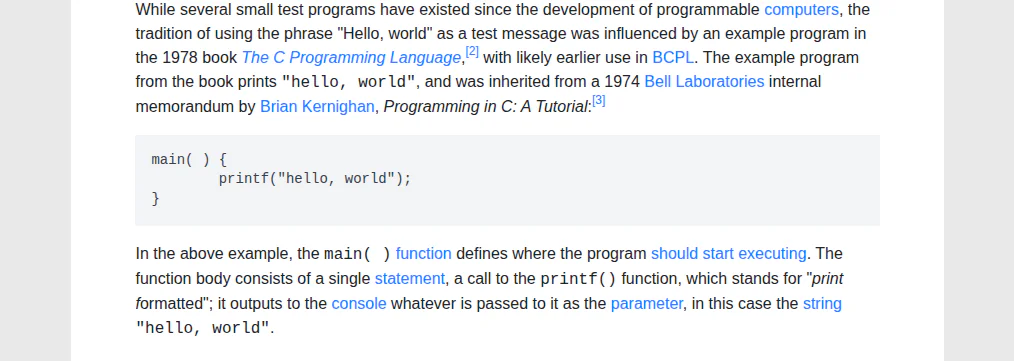
Code stays in a monospace font, whether it's a whole block or a function name in the middle of a sentence, and whichever Font style you pick under Style. Your choice of Serif or Sans-serif still applies to everything else.
Numbered code listings keep each number beside its own line, however long the line runs and wherever the page breaks. A long listing can now continue onto the next page between any two of its lines.
Don't need a listing at all? PrintFriendly View opens with Delete on, and one click anywhere in a numbered listing removes the whole thing, code and numbers together. Undo brings it back.
Try it
Open a tutorial or docs page, click the PrintFriendly button in your toolbar and choose PrintFriendly View. Then click Print, or PDF to save it. There's nothing to switch on.
Saving as Word or Markdown instead? A numbered listing comes out there as a plain code block, without the numbers.
The extension works in Chrome, Edge, Firefox and Safari. Got a wide table in the same tutorial? Here's how to print it in landscape. Everything else PrintFriendly View does is on our extension features page.